Document-based work
Many processes start with a document: a form, a request, a letter or a report.
No product matches that search. Try another word, or tell us what you need.
Connect tasks across your teams.
Scoped automation for documents, follow-ups and work between teams.
Scope on request
Overview
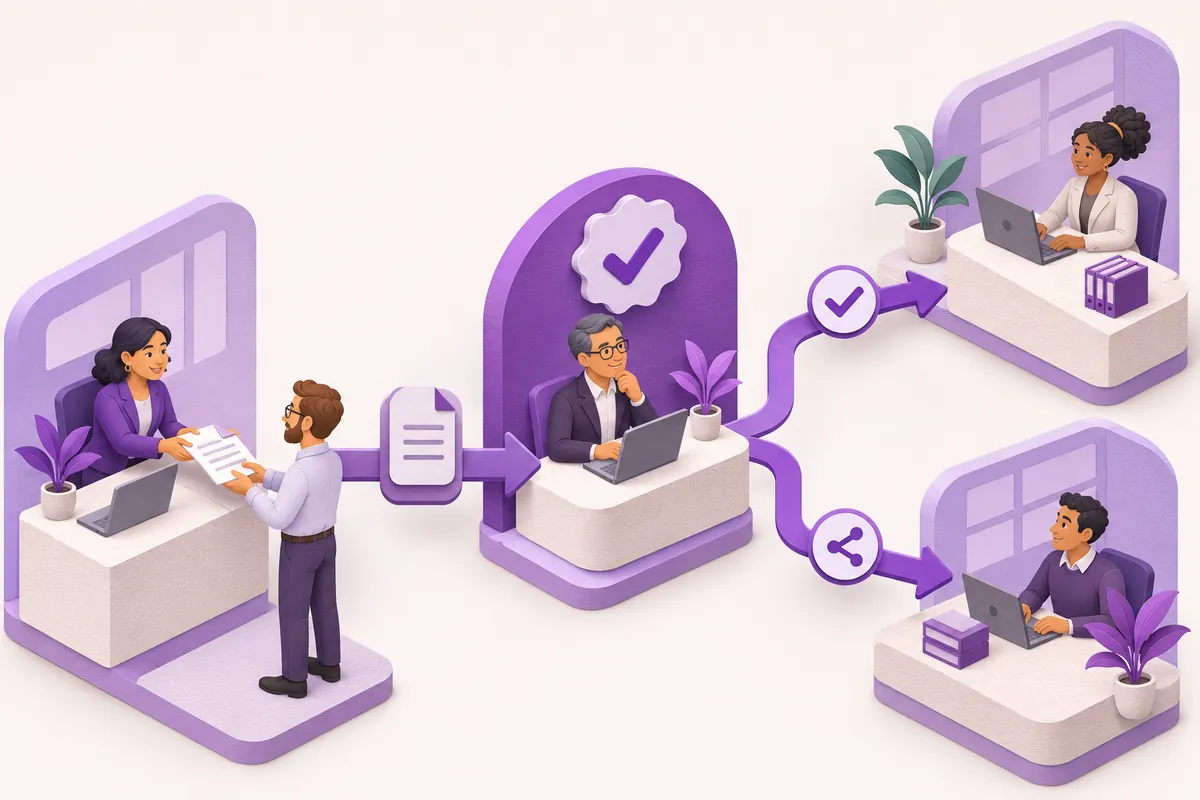
Work slows down in the gaps between teams. A document waits for someone to read it. A follow-up is forgotten. Information is typed again when it passes from one department to the next. AI Corporate Automation is scoped automation for documents, follow-ups and work between teams.
It is not a packaged product with a fixed list of features. Each automation is scoped with you around one real process. We map the process, agree what will be automated and what stays with a person, and confirm what is possible before you commit.
Find document-based work that is suitable for a scoped automation.
Organise the follow-ups that are needed between one team's work and the next.
Map where information should pass from one team to another.
Every automation is defined and agreed with you before anything is built.
Features at a glance
The main areas this product covers. We confirm the exact features and setup for your package before you commit.
Many processes start with a document: a form, a request, a letter or a report.
A process often stalls because nobody chased the next step.
When work moves from one team to another, information gets lost or is typed again.
We start with one process, not the whole company.
If your process already runs in the IAKKA ERP, the scope is built around what is there.
In detail
Each area below is part of the product. We confirm the exact features and setup for your package before you commit.
Many processes start with a document: a form, a request, a letter or a report. We look at the documents your teams handle and pick out the work that follows clear rules and repeats often. That is the work suited to a scoped automation. Documents that need careful human reading or judgement stay with a person. For each document type, we agree what the automation would do and what a person would still check.
A process often stalls because nobody chased the next step. In scoping, we list the follow-ups a process needs: who should be reminded, about what, and when. We then agree which of those follow-ups can be organised automatically and which should stay personal. The goal is modest and practical: fewer forgotten steps, with a clear owner for every step that is left.
When work moves from one team to another, information gets lost or is typed again. We map each handoff in the process: what information leaves one team, who receives it and what they need in order to continue. Then we agree where the information should pass across automatically. Handoffs that cross systems outside the ERP need those systems to be reachable, and that is checked case by case.
We start with one process, not the whole company. You describe how it works today. We map the documents, the follow-ups and the handoffs, and we mark the steps that are candidates for automation. You then get a scope that says what would be automated, what stays manual, what we need from you and what is out of scope. You decide after you have seen it. Nothing is built before that.
If your process already runs in the IAKKA ERP, the scope is built around what is there. Approvals have their own inbox in Approval 360, and documents have their place in Docs365 Drive. An automation should not replace those controls or go around permissions. Whether a particular module or record can be part of an automation is confirmed during scoping, so that we do not promise a connection we cannot deliver.
How it works
Pick one process where delays between teams cost you time.
Tell us how the work moves today, step by step.
We map the documents, the follow-ups and the handoffs in that process.
Together we mark the steps suited to automation and the steps that stay with people.
You review what is in scope and out of scope, and decide whether to go ahead.
Who uses it
Each person sees the screens and records their role allows, and nothing more.
Gets a clear map of one process, with its documents, follow-ups and handoffs.
Sees which steps would be automated and which stay with their team.
Knows which systems would be involved and what access would be needed.
Decides on a defined scope, not on a general promise of automation.
Reports and records
Works with
IAKKA products share the same people, customer and company records. Add any of these when you are ready.
No. It is scoped work. Each automation is defined around one of your processes and agreed with you before anything is built. We confirm what is possible, and what is not, before you commit.
Processes that repeat often, follow clear rules and move between teams are the best candidates. Work that depends on personal judgement, or where a mistake is costly, should keep a person in the decision.
That is checked case by case. A handoff that crosses another system needs that system to be reachable with the access you can give. We tell you during scoping whether a connection is possible.
No. Approvals keep their place in Approval 360, where each decision is recorded on a timeline. An automation is scoped to work with those controls and with user permissions, not around them.
Yes. Any automation that uses AI can make mistakes. That is why the scope names the steps where a person checks the result. We do not promise error-free output.
Choose one process that causes delays and describe how it works today. We map it with you and come back with a scope showing what would be automated and what would stay manual. You decide after that.
Scope on request. What is included depends on the package and setup you choose. We confirm this in writing before you commit.
Choose “Book a demo” on this page. Your enquiry will carry this product’s name, so tell us your team size, your current process and the result you need.
Tell us how your team works today. We will show you the products that fit.